
Shopify Markets: how to make your Shopify store multilingual.
Shopify Markets is how you make a Shopify store multilingual and set the language, currency and URL for each country. After this guide you know which settings you need, what Google has to see and what Switzerland adds with German, French and Italian.
- Author
 Szymon WolowiczEmail marketing, Shopify and automations
- Published
- Updated
- Reading time
- 9 minutes
In short
- You can translate your store on every Shopify plan. Shopify’s free Translate & Adapt app translates up to two languages automatically, or eight in selected countries.[1][2]
- Every language gets its own URL, for example a subfolder such as /fr. Shopify creates it when you publish the language and outputs the hreflang annotations automatically.[3]
- According to Shopify, prices in local currencies such as francs or euros require Shopify Payments. It also offers local payment methods such as TWINT.[1][4]
- In Switzerland, 61% name German, 23% French and 8% Italian as their main language. For stores selling across the country, French is usually the second language.[5]
A store in several languages needs three things: translations, its own URL per language and the right prices. In Shopify, all three run through Shopify Markets.[6]
For stores in Switzerland this matters more than elsewhere. There are three major national languages, a separate currency and, with TWINT, a payment app of its own. We go through it in order, from the first market to the translated order email. All details as of November 2026.
01What Shopify Markets is and what it costs
- What
- Buyer groups with their own settings
- For whom
- Stores selling to several countries
- Cost
- Included on all plans
In Shopify, a market is a group of buyers you set up a specific shopping experience for, usually a country or region. For each market you set languages, prices, a domain or subfolder and which products are available. Markets can inherit settings from parent markets. If no matching market defines a setting, the store defaults apply.[6]
According to the pricing page, Markets, store translation and local domains per market are part of every plan, from Basic to Plus:[1]
| Feature | Condition |
|---|---|
| Shopify Markets, local domains per market | all plans |
| Translate your store, two automated translations | all plans |
| Estimate and collect duties and taxes | all plans |
| Prices in local currencies, local payment methods | Shopify Payments only |
What the plans themselves cost per month is covered in our overview of plans and fees.
02Add languages and translate your store
- Tool
- Translate & Adapt, free
- Automatic
- Up to two languages
- Theme
- Needs a language selector
Check your theme first. Most Shopify themes include country and language selectors that you switch on in the theme editor. Custom themes must not hardcode internal links such as /cart, otherwise visitors end up in the wrong language or currency. Shopify recommends the Liquid routes object for this.[3] Then:
- Add the new language in the admin and assign it to the right markets.[6]
- Translate, for example with Translate & Adapt. The app translates automatically, and you add to and review the text in an editor next to the original.[2]
- Publish the language. Shopify then creates its own subfolder, for example /fr.[3]
Translate & Adapt is made by Shopify and free. Automatic translations are included for up to two languages, or eight in selected countries. You can add manual translations in as many languages as you like.[2] Where a translation is missing, Shopify uses a fallback language and finally the store’s primary language.[6]
Automation saves time but does not replace a person. Use it as a draft, then check by hand what sells: product names, sizes, shipping details, the home page. Add your own SEO titles and descriptions for key products in every language. Have terms and privacy policy checked by a qualified professional in each language.
03Subfolder, subdomain or a separate domain per country
- Common
- Subfolders such as /fr
- Clear country signal
- Own domain such as .de
- Not recommended
- Language via URL parameter
Google recommends a separate URL for each language version instead of switching language by cookie or browser setting.[7] Shopify offers three options per market: a subfolder, a subdomain or a separate domain.[6] Google lists these pros and cons:[7]
| Option | Example | According to Google |
|---|---|---|
| Subfolder | yourstore.ch/fr | easy to set up and low maintenance, but the country is not always clear from the URL |
| Subdomain | fr.yourstore.ch | easy to set up, but users cannot tell whether “fr” means a language or a country |
| Separate domain | yourstore.de | clear country signal, but more expensive, more work and only one country |
Google does not recommend URLs with parameters such as ?loc=de.[7] Shopify creates subfolders for languages and markets automatically for stores with a Liquid theme.[6]
For a Swiss store that often means a .ch domain with subfolders for French and Italian. If a large share of your orders comes from Germany, a separate .de domain for that market can follow later. A domain you already own can be connected to Shopify.[1]
04What Google needs to see: hreflang, sitemap and redirects
- What
- Links between language versions
- Who
- Shopify sets them automatically
- Check
- Full content translated, selector visible
With hreflang you tell Google which pages are translations of each other. Each version must list itself and all others. If two pages do not point to each other, Google ignores the annotations. The language comes first, then optionally the country, for example de-CH. A country code on its own is invalid.[8] Shopify outputs the hreflang annotations in the theme automatically.[3]
Google detects language from visible text, not from the lang attribute in the code. If only the menu and footer are translated but not the content, Google says this can be a bad experience, because the same content shows up several times in search results.[7] So translate the full content. How Google reads a store beyond that is covered in our guide on how Google finds and understands your store.
Shopify can automatically send customers to the domain or subfolder of their market.[1] Google, on the other hand, advises against automatically redirecting users between language versions and recommends letting them choose.[7] A clearly visible country and language selector in the header or footer is therefore part of the setup.[3]
If the store shows the right market but the wrong language, check which languages are assigned to that market.[6] If the selected language is not available in the customer’s country, Shopify switches to that country’s default language. Hardcoded links in the theme also send visitors back to the default language.[3]
05Currencies, prices and taxes per market
- Requirement
- Shopify Payments
- Switzerland
- Shopify Payments since 2022
- Prices
- Rounding, percentage or fixed price
According to the pricing page, Shopify shows prices in local currencies only with Shopify Payments.[1] In Switzerland, Shopify Payments has been available since September 2022.[9] Customers then pay in their currency and you get paid in yours.[10]
For prices that do not look converted, you have several options. Automatic conversion can round prices. If that is not enough, create a catalog for the market. There you adjust all prices by a percentage or set a fixed price for individual variants.[6] Products you do not want to sell in a market are removed from that market’s catalog. Customers in that market then do not see them.[6]
Shopify can estimate and collect duties and taxes at checkout on all plans.[1] Whether you have to charge VAT in a country is a question for a tax professional. It depends on where you are based and on your sales, not on Shopify.
06Checkout, store emails and Klaviyo in every language
- Checkout
- In the customer’s language
- Store emails
- Check with a test order
- Klaviyo
- Smart Translations, paid accounts only
With several languages and currencies, Shopify says customers browse the store and check out in their preferred language and currency.[3] Still check every language with a test order: checkout, order confirmation and shipping email. That way you see missing or clumsy text before customers do.
Marketing emails do not translate themselves. Klaviyo offers Smart Translations for this: a campaign or flow goes out in each recipient’s preferred language. It requires a paid Klaviyo account. By default Klaviyo reads the language from the Locale property, which the Shopify integration fills through Markets. Profiles without a recognized language get the default language you set in Klaviyo. Klaviyo uses machine translation and AI and itself advises reviewing every version before sending.[11]
Which flows a store needs in the first place is covered in our guide to the automated emails every store should have.
07A multilingual Shopify store for Switzerland
- Languages
- German, French, Italian
- Currency
- CHF through Shopify Payments
- Payment
- TWINT through Shopify Payments
In Switzerland, 61% of the population name German or Swiss German as their main language, 23% French, 8% Italian and 0.4% Romansh (2024 figures). The main language is the one a person knows best, and several are possible.[5] For a store with customers across the country, French is therefore usually the second language and Italian the third.
Three points Swiss stores often notice too late:
- Francs for Switzerland and euros for the EU side by side require Shopify Payments.[1] It has been available to stores in Switzerland since 2022.[9]
- Shopify offers TWINT, the Swiss payment app, as a local payment method through Shopify Payments. In May 2026 it was added for stores based in more countries, such as Austria, Italy and the Netherlands. Your payment settings show whether TWINT is available for your store.[4]
- Prices for Switzerland and the EU often differ because of VAT. Decide for each market whether your prices include tax.
For French and Italian the same rule applies as above: automation as a draft, then a check by someone who speaks the language as their main language. Clumsy product copy stands out immediately to customers in Romandy or Ticino.
08Order of steps, limits and when to get help
- Do it yourself
- A second language on a standard theme
- Get help
- Custom theme, several domains, taxes
- At nalu
- Szymon
The order we recommend:
- Define markets: which countries, which language, which currency.
- Check the theme, add languages, translate, review by hand.
- Assign a domain or subfolder to each market.
- Set currency, prices and payment methods per market.
- Place a test order in each market and look at the emails.
- Submit the sitemap for every domain in Google Search Console. Shopify creates it automatically.[12][13]
Honest limits. Shopify keeps changing Markets, and menu names can move. Our details are as of November 2026. A second language on a standard theme with a subfolder is something you can manage yourself. With a custom theme, several domains, prices per market or taxes in several countries, help pays off. Tax and legal questions belong with a qualified professional.
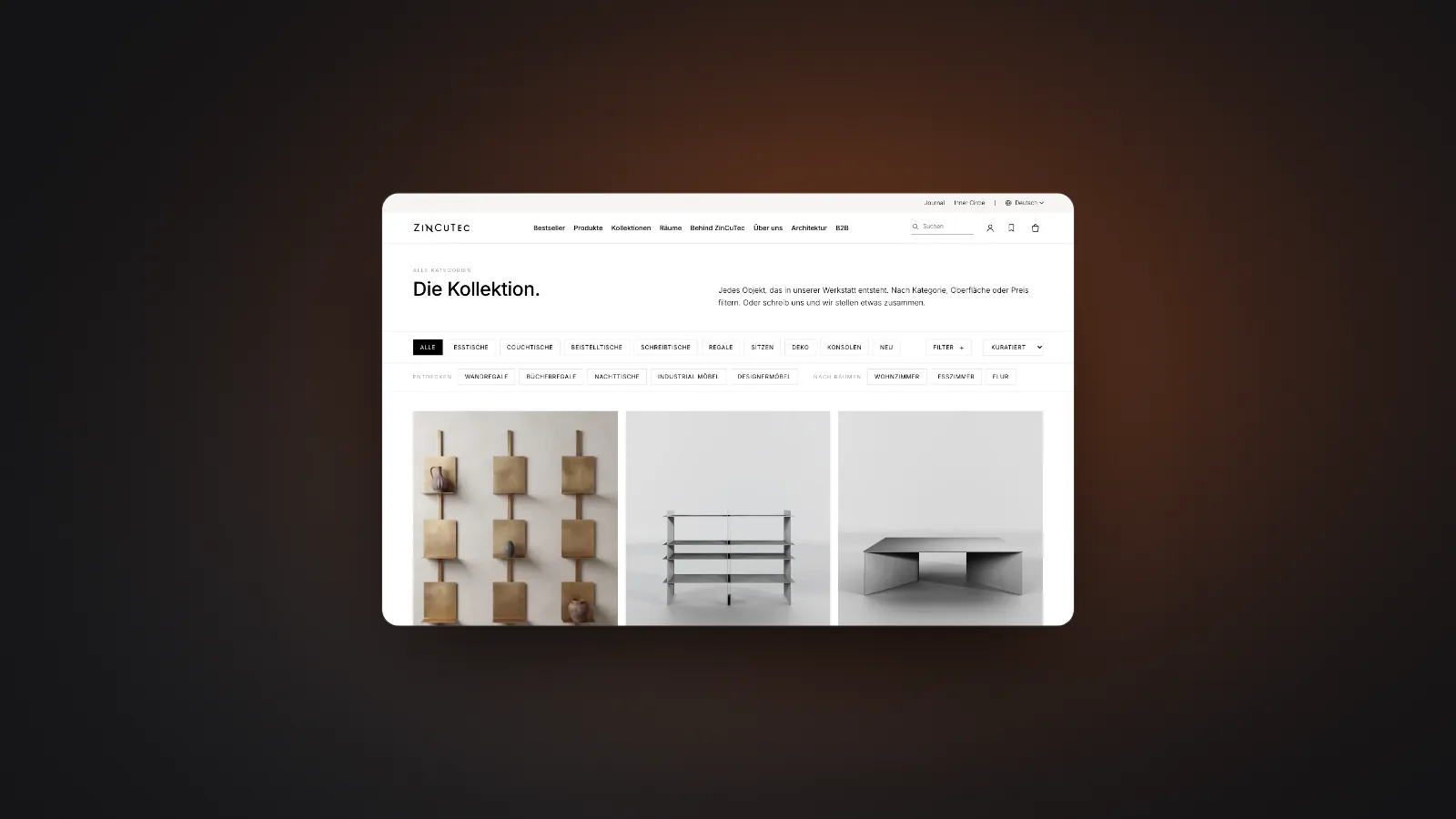
From our work. The store of ZinCuTec, a metal furniture maker from Germany, now runs in five languages: German, English, French, Spanish and Italian. More in the ZinCuTec case study. Multilingual stores are Szymon’s area at nalu, more on our page about Shopify stores by nalu. How languages, payments and emails fit together across a store is covered in our overview of building an online store that sells. If you are still moving, use the checklist for switching to Shopify.
Frequently asked questions
How much does Shopify Markets cost?
According to the pricing page, Shopify Markets is included on every plan, from Basic to Plus. The same goes for store translation with two automated languages and local domains per market. Local currencies and local payment methods, however, only work with Shopify Payments. The Translate & Adapt app is free. As of November 2026.
How do I translate my Shopify store?
Add a language in the admin and translate the store, for example with Shopify’s free Translate & Adapt app. Automatic translations are included for up to two languages, and you can translate as many as you like by hand. Check important text yourself and only then publish the language.
Why does my store show the right market but the wrong language?
Shopify describes two cases. If the selected language is not available in the customer’s country, the store switches to that country’s default language. And hardcoded links in the theme, for example to /cart, send visitors back to the default language. So check which languages are assigned to the market, and the links in your theme.
How do we show prices in CHF and euros as a Swiss company?
Create one market for Switzerland and one for the EU and give each its currency. According to Shopify, prices in local currencies require Shopify Payments, which has been available in Switzerland since 2022. Set fixed prices per market with a catalog. Alternatively, Shopify rounds converted prices.
Is the Shopify checkout translated automatically?
Once you have published the language, Shopify says customers browse the store and check out in their language. Still check checkout and store emails with a test order in each language. That way you spot missing or clumsy translations before customers do.
Sources
- Shopify (2026): Pricing, comparison table “Sell globally”. https://www.shopify.com/pricing, retrieved 14 November 2026
- Shopify App Store (n.d.): Translate & Adapt. https://apps.shopify.com/translate-and-adapt, retrieved 14 November 2026
- Shopify (shopify.dev) (n.d.): Support multiple currencies and languages. https://shopify.dev/docs/storefronts/themes/markets/multiple-currencies-languages, retrieved 14 November 2026
- Shopify Changelog (2026): Local payment methods are now available in more countries (30 May 2026). https://changelog.shopify.com/posts/more-local-payment-methods-are-now-available-in-additional-countries, retrieved 14 November 2026
- Swiss Federal Statistical Office (FSO) (2026): Sprachen (Languages, page in German, no English version). https://statistik.admin.ch/de/themen/bevoelkerung/sprachen, retrieved 14 November 2026
- Shopify (shopify.dev) (n.d.): About Shopify Markets. https://shopify.dev/docs/apps/build/markets, retrieved 14 November 2026
- Google Search Central (2025): Managing Multi-Regional and Multilingual Sites. https://developers.google.com/search/docs/specialty/international/managing-multi-regional-sites, retrieved 14 November 2026
- Google Search Central (2026): Localized Versions of your Pages. https://developers.google.com/search/docs/specialty/international/localized-versions, retrieved 14 November 2026
- Shopify Changelog (2022): Shopify Payments now available in Switzerland (22 September 2022). https://changelog.shopify.com/posts/shopify-payments-now-available-in-switzerland, retrieved 14 November 2026
- Shopify (n.d.): Shopify Payments. https://www.shopify.com/payments, retrieved 14 November 2026
- Klaviyo Help Center (2026): How to set up Smart Translations. https://help.klaviyo.com/hc/en-us/articles/38068161225243, retrieved 14 November 2026
- Shopify Blog (Adam Rogers) (2025): Shopify SEO: How to Generate More Store Traffic. https://www.shopify.com/blog/shopify-seo, retrieved 14 November 2026
- Google Search Central (2026): Build and Submit a Sitemap. https://developers.google.com/search/docs/crawling-indexing/sitemaps/build-sitemap, retrieved 14 November 2026
This guide is by nalu studios. We offer the service it covers ourselves. AI helps us work, a human has the final say. How we work: About us and our values.